AI Automation for Small Businesses: 10 Practical Ways to Save Time and Money in 2026
Discover 10 practical ways small businesses can use AI and automation to save time, reduce repetitive work, improve customer service and grow efficiently.
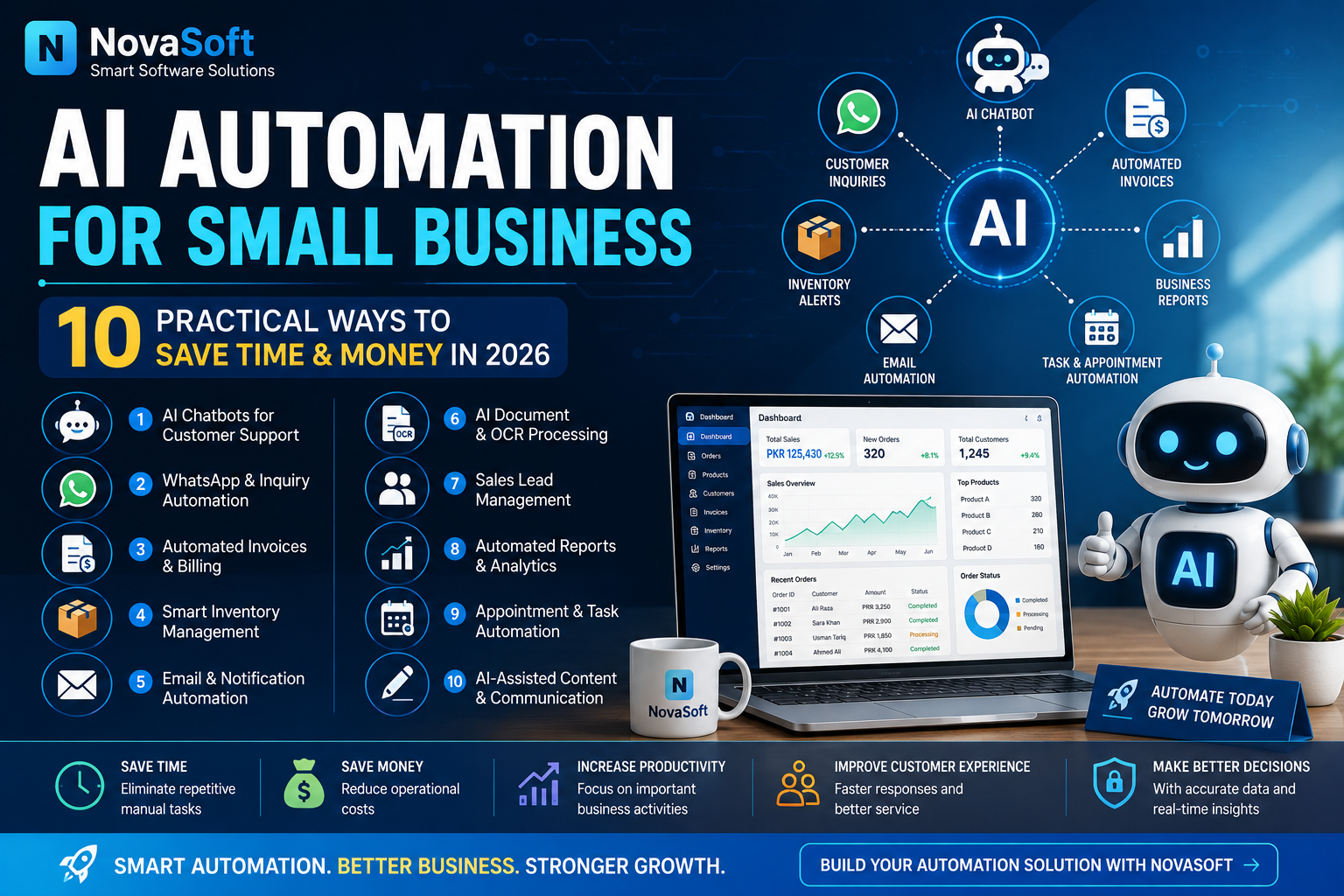
AI Automation for Small Businesses: 10 Practical Ways to Save Time and Money in 2026
Artificial Intelligence and automation are no longer technologies that only large companies can afford. In 2026, small businesses can use AI-powered tools and automated systems to reduce repetitive work, improve customer service, manage information more efficiently and save valuable time.
The important point is that AI does not need to replace an entire business process. Even automating a few repetitive tasks can make daily operations easier and allow employees and business owners to focus on customers, sales and growth.
Here are 10 practical ways small businesses can use AI and automation.
1. AUTOMATE CUSTOMER SUPPORT
Businesses often receive the same questions repeatedly:
What is the price?
Is this product available?
What are your business hours?
How can I place an order?
Where is my order?
What services do you provide?
An AI-powered chatbot or automated support system can answer common questions instantly.
It can also collect customer information and forward complicated inquiries to a human representative when necessary.
This can help businesses provide faster responses without requiring someone to manually answer every basic question.
2. AUTOMATE WHATSAPP AND CUSTOMER INQUIRIES
WhatsApp is an important communication channel for many businesses.
As the number of customers increases, manually answering every inquiry can become difficult.
Automation can help organize incoming inquiries, provide basic information, collect customer requirements and direct customers to the correct department or person.
For example, a software company could automatically ask a customer:
What type of software do you need?
What is your business type?
What features are required?
What is your approximate budget?
When do you need the project?
The information can then be saved as a potential sales lead.
3. AUTOMATE INVOICES AND BILLING
Creating invoices manually can consume a significant amount of time.
A modern billing or POS system can automatically calculate:
Product prices
Quantities
Discounts
Taxes where applicable
Final totals
Invoice numbers
Payment information
Invoices can then be stored digitally for future reference.
Automation also reduces the possibility of mistakes caused by repeatedly entering calculations manually.
4. USE SMART INVENTORY MANAGEMENT
Inventory management is one of the most useful areas for business automation.
Instead of manually checking stock every day, inventory software can automatically update stock whenever a product is sold or purchased.
The system can also provide low-stock alerts.
For example:
Current stock: 8 units
Minimum stock level: 10 units
Status: Low Stock
This allows the business owner to reorder products before inventory runs out.
Businesses with many products can save considerable time by using automated inventory management.
5. AUTOMATE EMAIL COMMUNICATION
Businesses regularly send emails for:
Order confirmations
Payment notifications
Customer inquiries
Invoices
Support requests
Marketing
Account notifications
Many of these emails can be automated.
For example, when a customer submits an order, the system can automatically send an order confirmation email.
When the payment is approved, another email can inform the customer.
This creates a more professional customer experience while reducing repetitive administrative work.
6. USE AI FOR DOCUMENT AND OCR PROCESSING
Businesses often work with scanned documents, receipts, invoices and images containing text.
OCR, or Optical Character Recognition, can convert text from an image or scanned document into editable digital text.
Instead of manually typing information from hundreds of documents, businesses can use OCR software to extract it.
This can be useful for:
Invoices
Receipts
Forms
Printed documents
Scanned reports
Business records
AI-assisted document processing can further help organize and classify extracted information.
7. AUTOMATE SALES LEAD MANAGEMENT
Businesses can lose potential customers simply because inquiries are not recorded properly.
A lead-management system can automatically save information such as:
Customer name
Phone number
Email address
Required product or service
Budget
Inquiry date
Follow-up status
The business can then track whether the lead is:
New
Contacted
Interested
Pending
Converted
Closed
This creates a structured sales process instead of relying on scattered messages and notes.
8. GENERATE BUSINESS REPORTS AUTOMATICALLY
Business owners need information to make decisions.
Software can automatically generate reports such as:
Daily sales
Weekly sales
Monthly revenue
Best-selling products
Low-stock products
Customer orders
Expenses
Profit estimates
Instead of manually calculating these numbers, a dashboard can display important information in one place.
This helps business owners understand performance and identify areas that need attention.
9. AUTOMATE APPOINTMENTS AND ROUTINE TASKS
Service businesses can use automation for appointments, reminders and recurring administrative tasks.
For example, a system can:
Accept appointment requests
Store customer information
Send appointment confirmations
Send reminders
Update appointment status
Automation can also be used internally for recurring reports, payment reminders and scheduled notifications.
This reduces the risk of important tasks being forgotten.
10. USE AI TO ASSIST WITH CONTENT AND BUSINESS COMMUNICATION
AI can also assist businesses with creating first drafts of:
Product descriptions
Marketing ideas
Email responses
Social media captions
Frequently asked questions
Business documents
Customer support responses
However, AI-generated content should still be reviewed by a person before publication, especially when it contains prices, policies, technical claims or important customer information.
The best approach is to use AI as an assistant rather than blindly publishing everything it generates.
HOW MUCH CAN AUTOMATION HELP A SMALL BUSINESS?
The benefits depend on the type of business and the processes being automated.
A small shop may benefit most from POS and inventory automation.
An online business may benefit from order processing, email notifications and customer-support automation.
A service company may benefit from lead management, appointments and automated follow-ups.
The objective should not be to automate everything at once.
Start by identifying repetitive tasks that consume the most time.
Then automate those processes one by one.
DOES EVERY BUSINESS NEED EXPENSIVE AI SOFTWARE?
No.
Many businesses do not need complicated enterprise AI systems.
A custom application can sometimes solve the problem more effectively by providing only the features that the business actually needs.
For example, a small business may only require:
Customer management
Inventory
Billing
Reports
Automated notifications
A custom system can combine these functions into one application.
AI + AUTOMATION + HUMAN DECISION MAKING
Automation works best when it handles repetitive tasks while people continue making important decisions.
For example:
Automation can detect low stock.
A person decides how much inventory to purchase.
AI can draft a customer response.
A person can review important responses.
Software can generate a sales report.
The business owner decides what action to take.
This combination can improve efficiency without removing necessary human oversight.
FINAL THOUGHTS
AI and automation are becoming increasingly accessible to small businesses.
Businesses do not necessarily need to transform everything immediately. Automating customer inquiries, billing, inventory, documents, reports or routine communication can already provide meaningful improvements.
The best automation system is one that solves a real business problem, remains easy to use and can grow with the business.
NEED A CUSTOM AUTOMATION SOLUTION?
NovaSoft develops custom software solutions according to business requirements.
Solutions can include:
Custom Desktop Software
POS & Inventory Systems
Business Management Systems
Custom Websites
Document & OCR Solutions
Workflow Automation
AI-assisted Business Tools
Software Modification
If your business has repetitive manual work that could be automated, you can discuss your requirements with NovaSoft and explore a solution designed around your workflow.
Need Software for Your Business?
NovaSoft develops custom business software, POS systems, Windows applications and websites.
Discuss Your Project