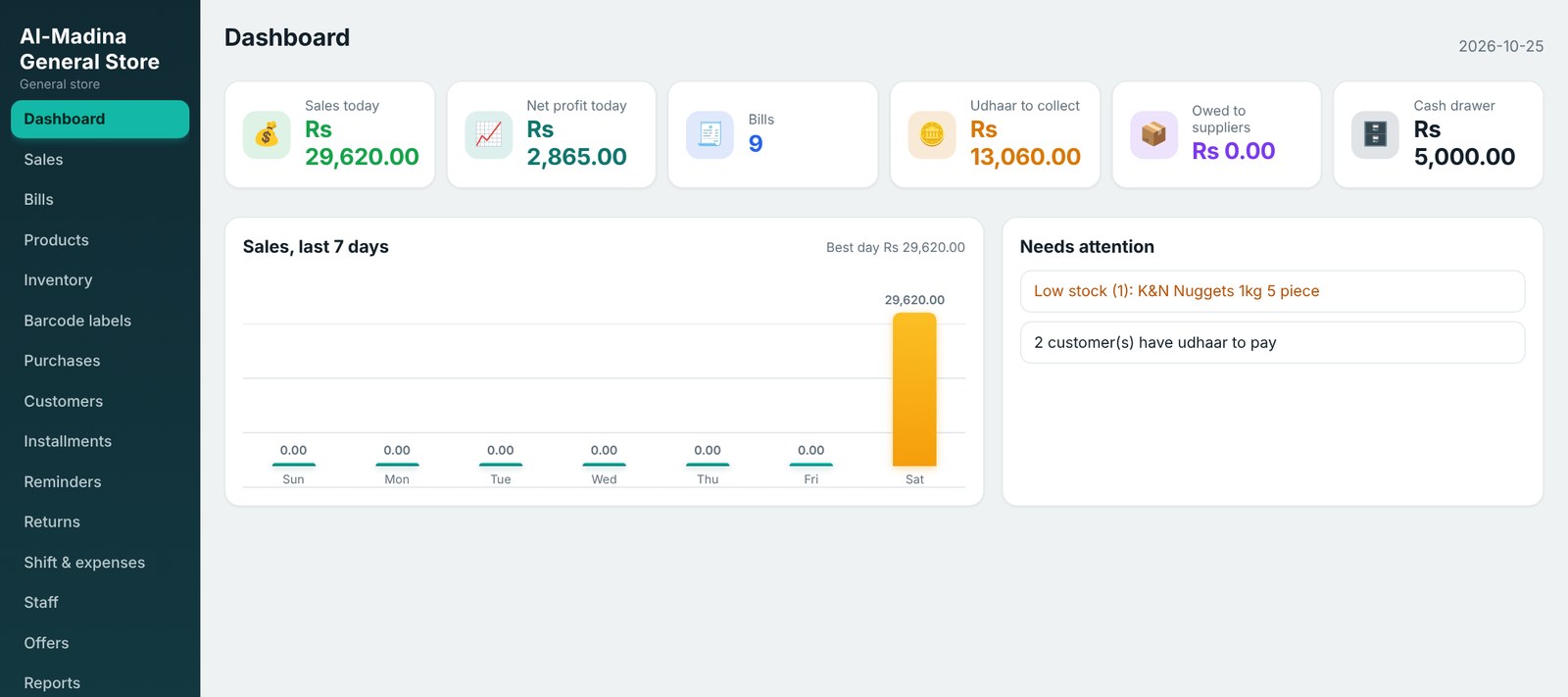
Nova Soft POS
Billing, stock, udhaar, installments (qist), returns and reports for any shop. Works offline on Windows and on your phone over Wi-Fi.
Explore professional NovaSoft Windows software for billing, POS, inventory and everyday business workflows. Online tools remain available for quick tasks.
Review features, screenshots and product information before deciding whether a NovaSoft application fits your workflow.
Browse all software →
Billing, stock, udhaar, installments (qist), returns and reports for any shop. Works offline on Windows and on your phone over Wi-Fi.
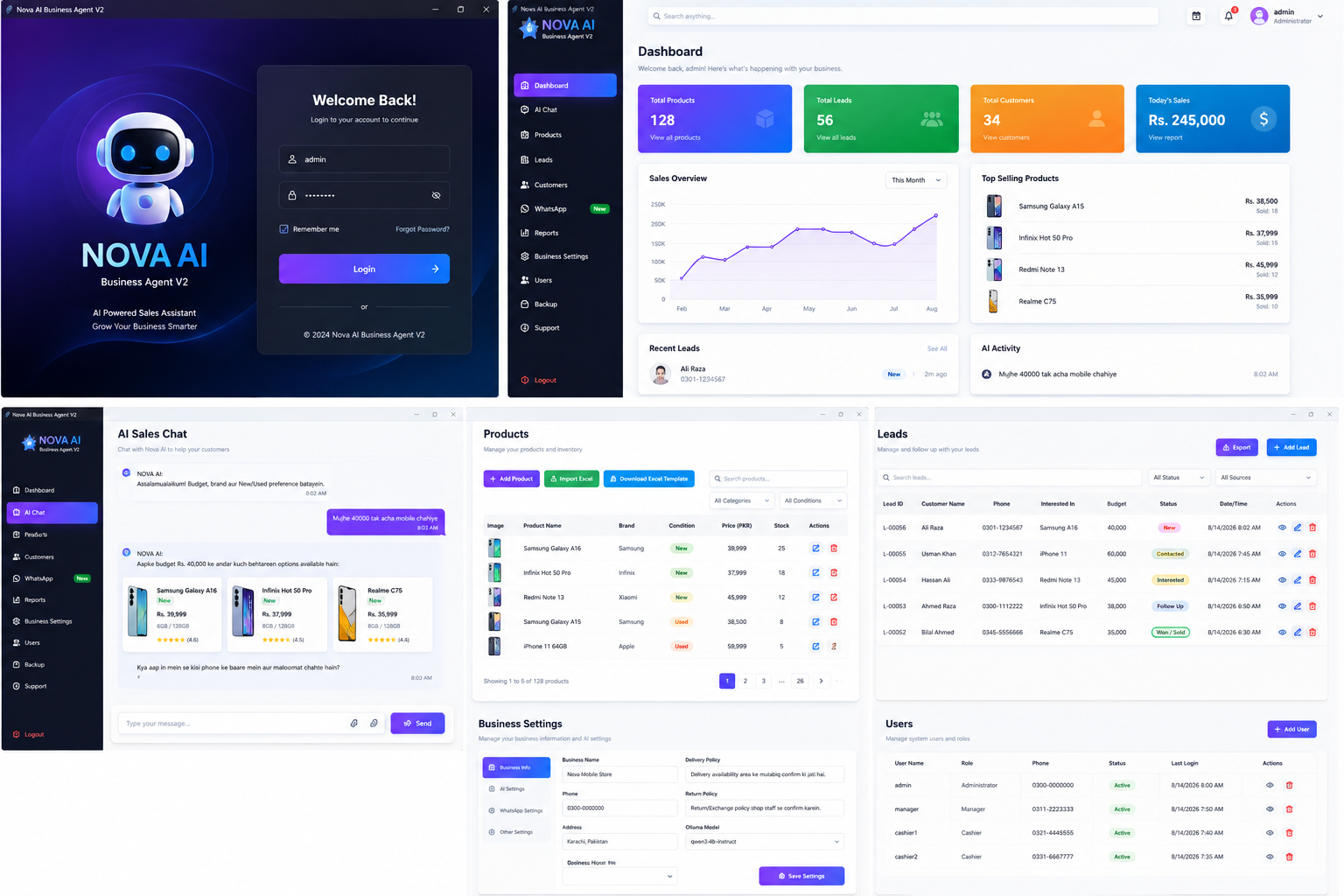
Offline POS software for Windows with protected digital delivery, documentation and license activation.
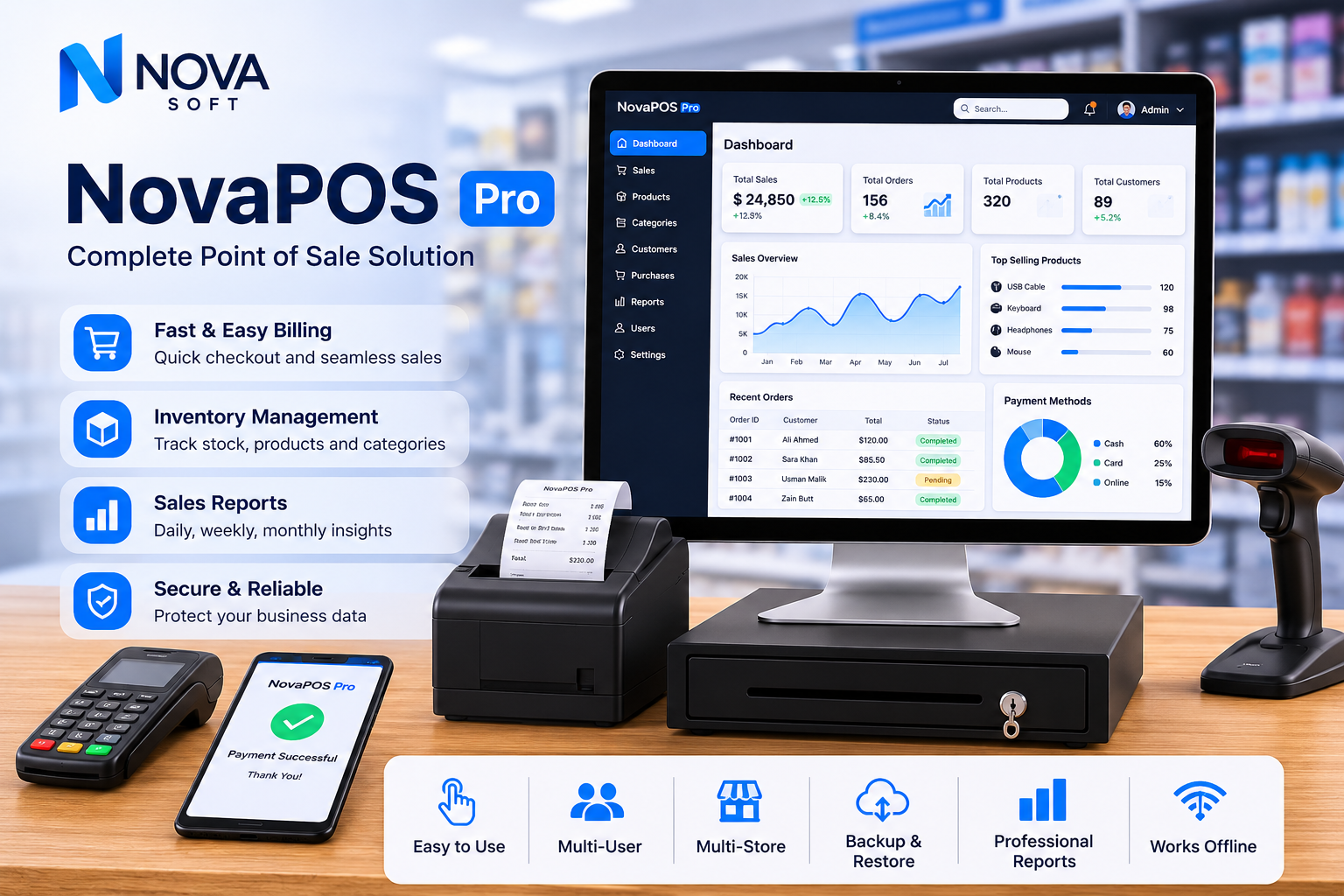
Windows POS software for fast billing, product and stock management, user roles and protected licensed delivery.
Open a tool, complete the task and continue your work. Each utility has a focused purpose instead of unnecessary features getting in the way.
View all tools →Reduce image file size for websites, documents, sharing and storage while keeping the workflow simple.
Open Image Compressor →Turn selected images into a PDF file for records, forms, assignments and easier document sharing.
Create PDF →Prepare a structured invoice for business work with customer, item and payment information.
Create Invoice →Organize your education, experience and skills into a cleaner professional resume workflow.
Build Resume →Create a QR code for useful text or links when you need information to be scanned quickly.
Generate QR →Work with everyday text tasks from one focused utility page for faster writing and editing.
Open Text Tools →Move suitable document information toward a spreadsheet workflow when structured data is needed.
Open Converter →NovaSoft is designed around tasks people actually need to complete — not pages created only to attract clicks.
Create PDFs from images, organize document information, prepare invoices and use practical document utilities without searching across unrelated websites.
Build resumes, improve text and use focused tools for common work, education and business tasks.
Explore NovaSoft desktop software when a small utility is not enough and you need billing, inventory or operational features in one solution.
Businesses with a different workflow can explore custom software, website and automation services rather than forcing their work into a generic system.
NovaSoft product and tool pages are intended to explain what a solution does, who it is useful for and how to use it. Visitors should be able to understand the purpose of a page before deciding to open a tool, download software or make a purchase.
Our goal is to keep growing the website with working tools, useful tools and maintained software instead of filling it with duplicate or automatically generated pages that do not help the visitor complete a task.
Focused tool pages Each utility is designed around a clear task.
Detailed software pages Review features and supporting information first.
Practical online tools Use practical online tools for quick everyday tasks.
Ongoing maintenance NovaSoft continues improving tools, software and site usability.
NovaSoft also works on custom business software, POS systems, websites and document-based solutions planned around specific operational requirements.
Watch software demos, online tool guides and practical NovaSoft tutorials on our official YouTube channel.
NovaSoft brings practical online utilities, downloadable software, practical online tools and custom development services together in one place. The website is being built for people who want to complete real digital tasks without navigating through confusing or unrelated content.
Our focus is useful functionality and clear information. Online tools help with smaller tasks, while NovaSoft software is intended for workflows that require a more complete application. Online tools remain available for smaller everyday tasks.