Billing, stock & udhaar for your shop — in one simple POS
Make bills with a barcode scanner, track stock, manage udhaar and installments (qist), and see your profit — even without internet.
- Works offline
- Phone app over Wi‑Fi
- Thermal & A4 printing
- WhatsApp receipts
Version 9.1 · Windows 10/11 · Java included — nothing else to install · Read the user manual (PDF)
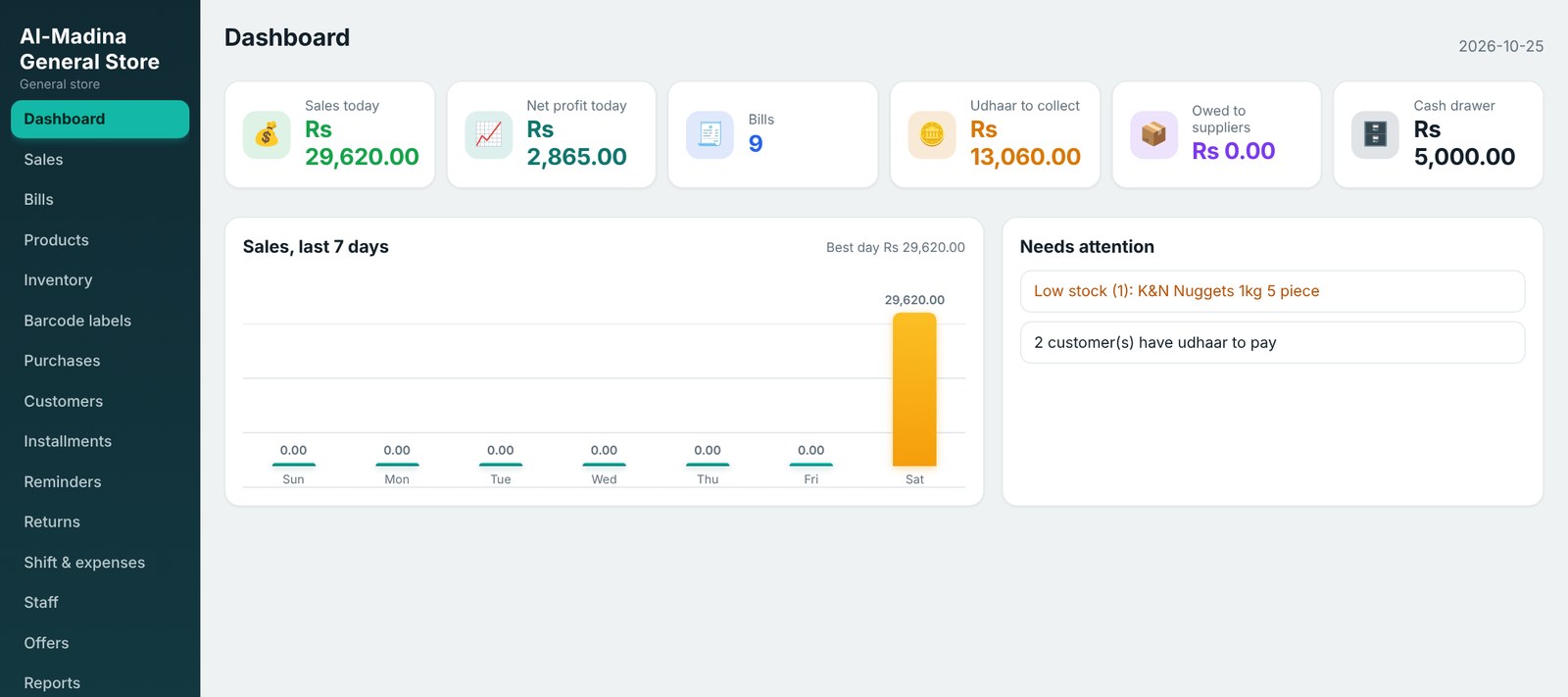
Fast billing today. Clear accounts tomorrow.
Quick billing
Scan a barcode and the item drops into the bill. New item? Scan, type name and price, and it is saved for next time.
Stock & purchases
Stock counts, stock history, purchase orders, suppliers and low‑stock alerts when you sign in.
Udhaar ledger
Credit limits, running balance, receive payments and a one‑tap WhatsApp reminder.
Installments (qist)
Sell fridges, phones or furniture on monthly or weekly installments with guarantor details and late alerts.
Returns & refunds
Scan the QR code on the bill, return part or all of an item, refund to cash or udhaar. Stock comes back automatically.
Reports & profit
Sales, profit, expenses and returns for any dates, a 7‑day chart, and export to Excel.
Staff & shifts
Owner, Manager and Cashier roles, shifts with counted‑cash check, attendance and salaries.
Safe backups
Back up with one click, plus an automatic backup every night. Restore yourself if the PC changes.
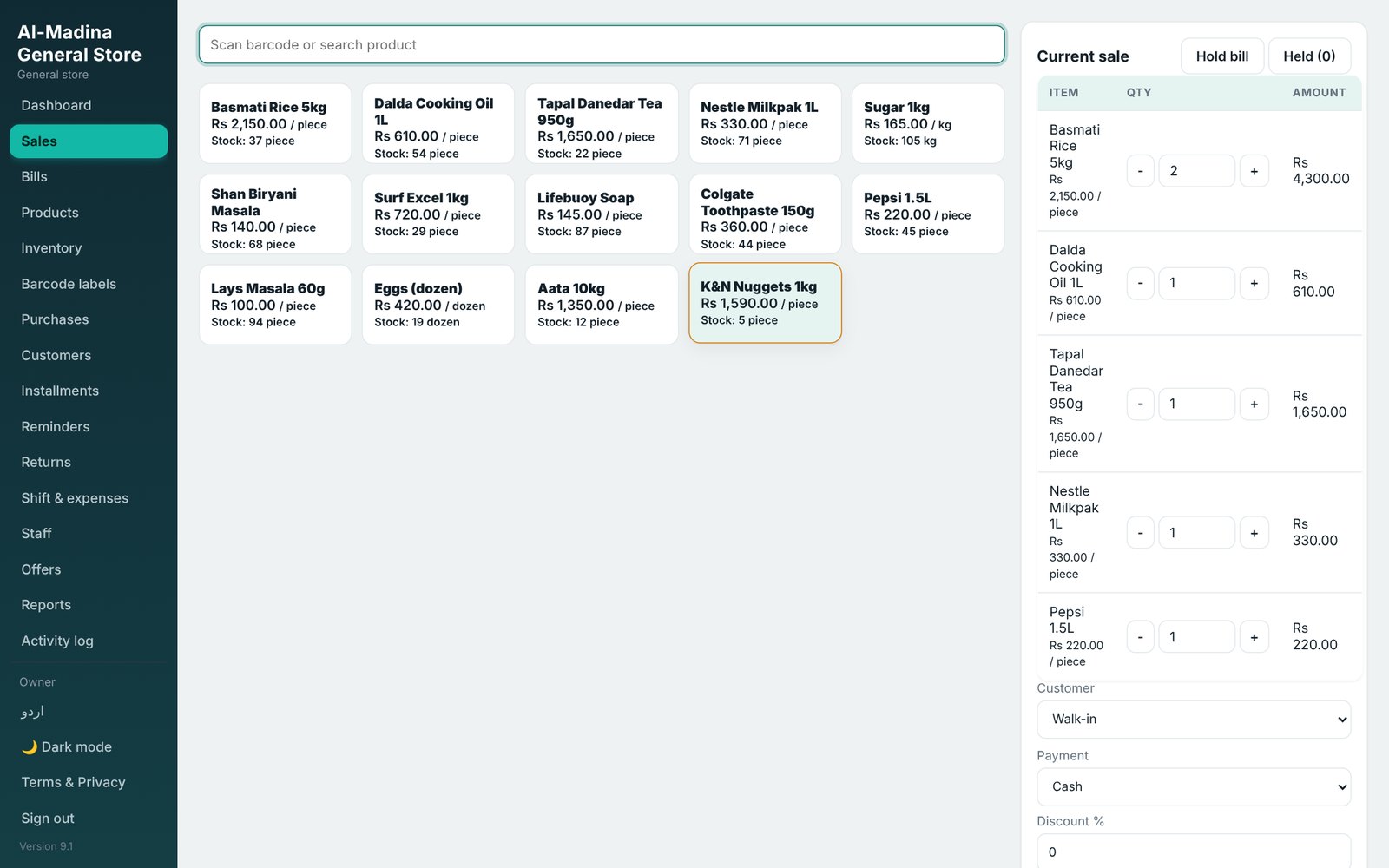
Scan, charge, print — done
Product tiles with prices and stock, a clear running bill, discounts and coupons. Take payment in cash, card, JazzCash, Easypaisa or udhaar, then print a thermal or A4 receipt or send it on WhatsApp.
- Barcode scanner ready
- Hold a bill and continue later
- QR code on every bill for quick returns
Made for: Kiryana / general storeMedical storeGarmentsElectronics & mobileRestaurant
Every plan includes every feature
Try everything free for 7 days. Then pick the plan that suits your shop. One license works on one main computer; phones and other PCs on the same Wi‑Fi are included.
Monthly
Pay month by month
- All POS features
- 30 days per payment
- Key delivered instantly by email
- WhatsApp support
Yearly
Best value for running shops
- All POS features
- 365 days per payment
- Key delivered instantly by email
- WhatsApp support
Permanent
Pay once, use forever
- All POS features
- Never expires
- Key delivered instantly by email
- WhatsApp support
Secure card payment by Safepay. Prefer JazzCash, Easypaisa or bank transfer? WhatsApp 0336‑1594066.
From download to your first bill in minutes
Download & install
Unzip POS‑Setup.zip and double‑click Install.bat. A POS icon appears on your desktop.
Use it free for 7 days
All features work. A banner shows how many trial days are left.
Copy your Computer ID
Open Plans & license in the POS and copy the Computer ID.
Choose a plan & pay
Paste the Computer ID here and pay by card. Your key appears instantly.
Paste the key
Back in Plans & license, paste the key and press Activate.
Frequently asked questions
Is there a free trial?
Yes. Every new installation works free for 7 days with all features. No card is needed for the trial.
Does Nova Soft POS need internet?
No. It works offline on your Windows computer. Internet is only needed to buy or renew a plan.
Can I use it on my phone?
Yes. Phones and other computers on the same Wi‑Fi can open the POS in their browser and use the same data. One license on the main computer covers them all.
How do I get my license key?
Copy the Computer ID from Plans & license in the POS, choose a plan above and pay by card. The key appears instantly in My POS licenses and is emailed to you.
What happens when a Monthly or Yearly plan ends?
You can still open and view your data, but new bills are blocked until you renew. Renewing adds the new time after your current end date, so you never lose days.
I changed my computer. What now?
A license works on one computer. Contact us on WhatsApp 0336‑1594066 with your old and new Computer ID and we will help you move it.
Where is my data kept?
On your own computer in the POS‑Data folder. Use Back up now and keep a copy on a USB or Google Drive.